
Ultimate Lift on a larger screen
Compare your training across weeks.
Use the portal to study a lift’s history, compare planned and completed training, and review a whole programme. Your phone and the portal use the same sessions.
Explore the portal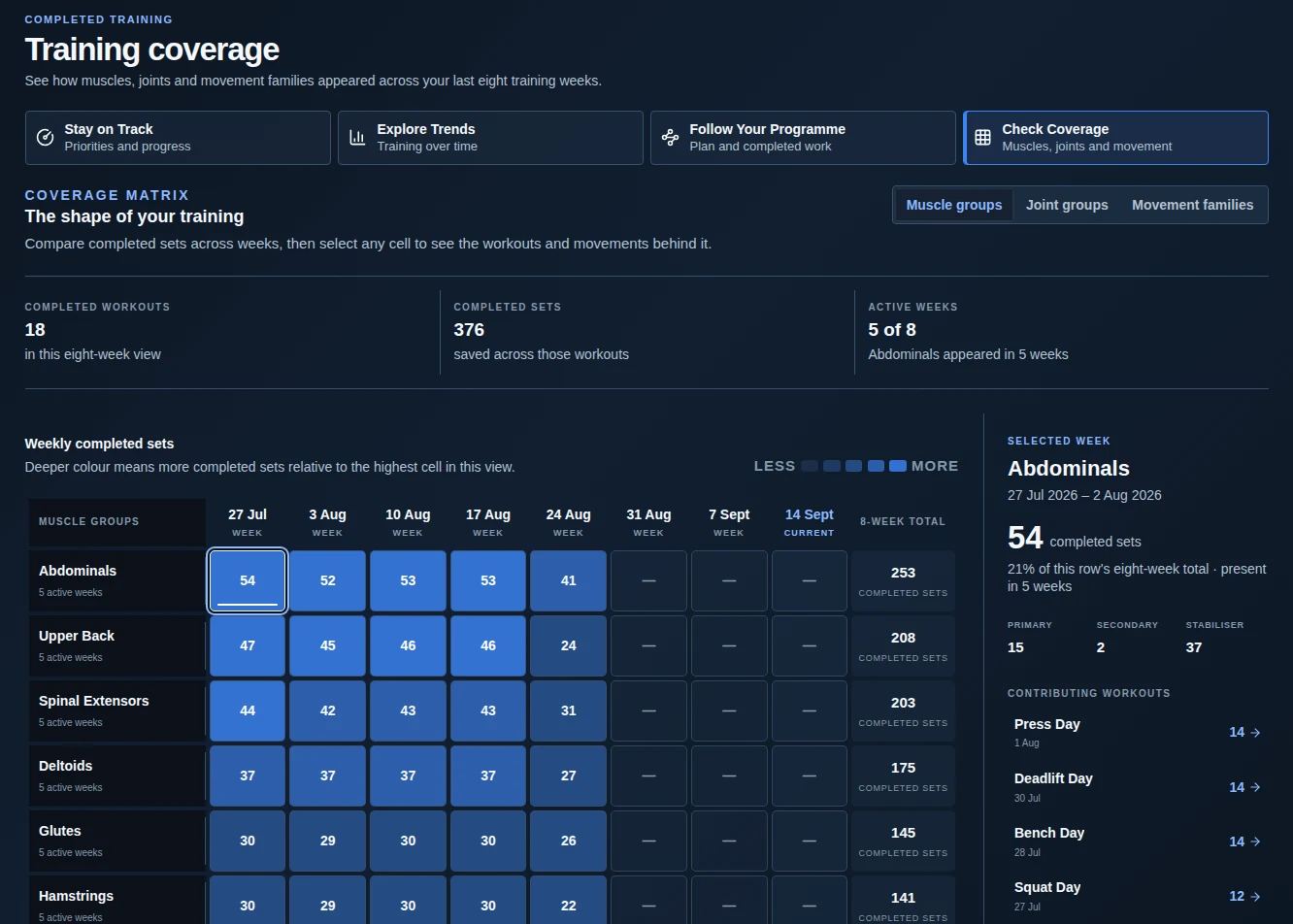
Progress in Ultimate Lift
See the whole programme taking shape.
Compare the training you planned with the sessions you completed. Follow intensity and workload through each block, then open a session to review the sets.
Explore Barbell Strength Builder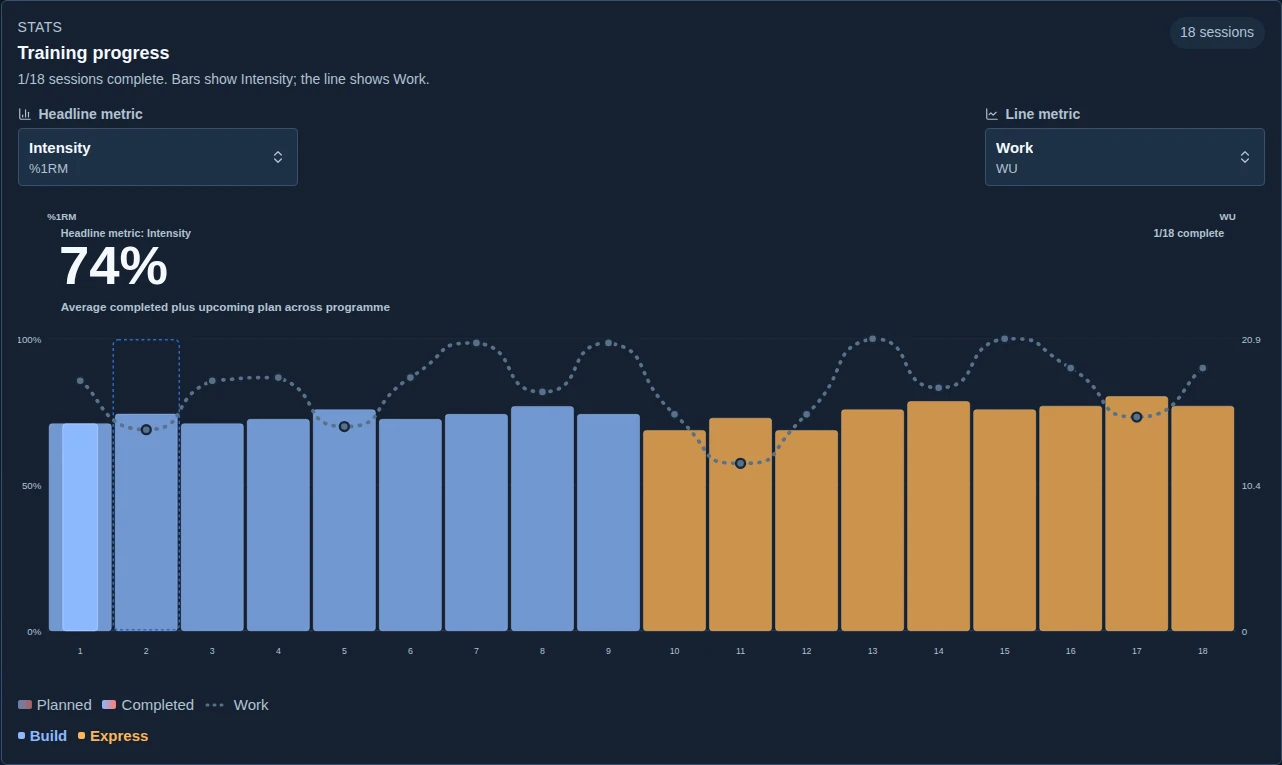
Follow the blocks.
Colour marks each block, so changes in the programme are easy to place in the longer progression.
Compare plan and performance.
See how completed sessions compare with their targets and where the work changed.
Choose the measure.
Review intensity alongside workload, or select another available metric to study a different part of your training.
Lift Story
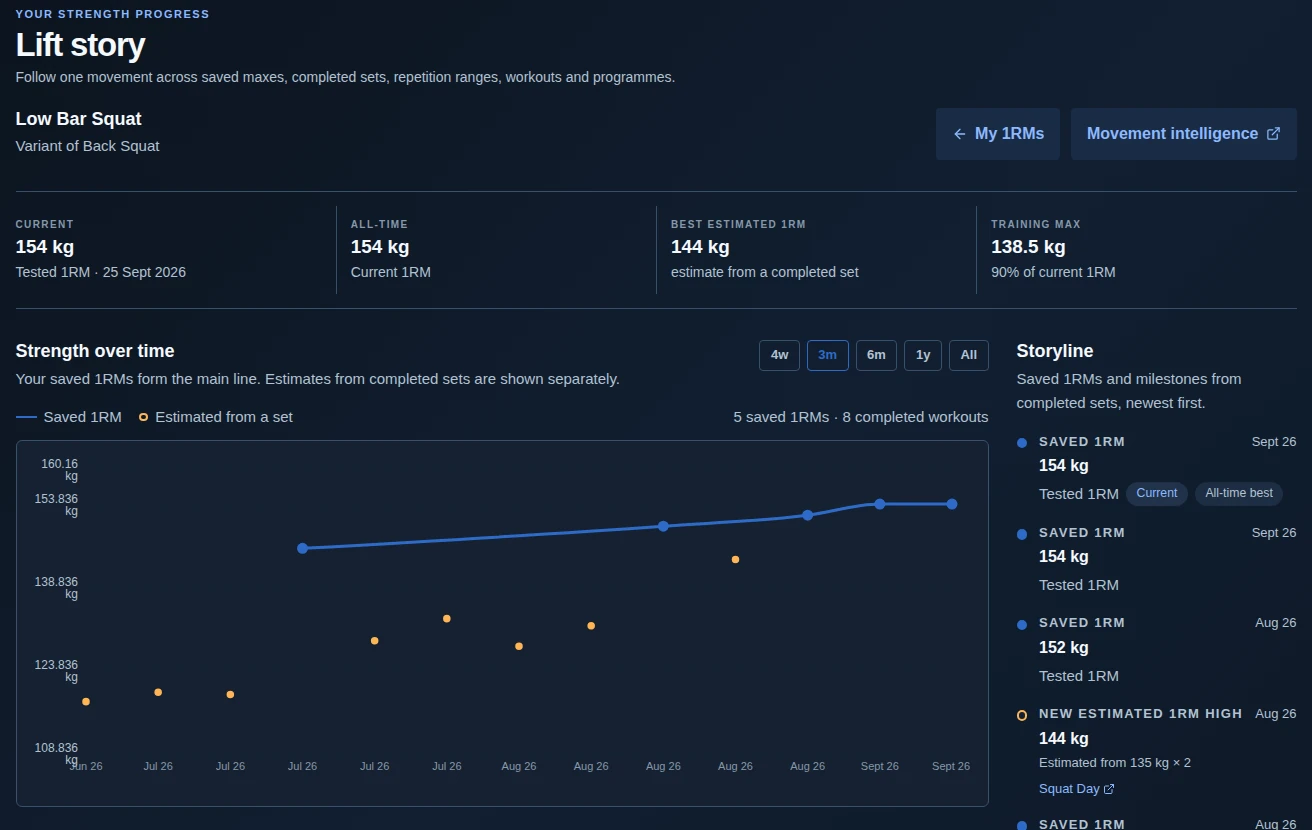
Follow an individual lift.
See when a saved max changed and which completed sets support an estimate. Both appear on the timeline, with the distinction clear.
Training Coverage
See where the work went.
Compare muscles, joints or movement families across weeks. Select a week to see the sessions and sets behind its coverage.
The portal
Review a whole programme.
See the blocks, weekly progression and completed sessions together.
Before you start
Read the equipment requirements, weekly commitment and first sessions.
During the programme
Compare completed work with the plan as you move through each block.
The portal
Compare the plan with your training.
Training Atlas shows where your completed training followed or changed the plan.
Muscles and movement patterns
Compare the distribution of work across the body and the movements used.
Changes worth reviewing
Find a substituted movement, missed session or difference in working sets, then open the session for detail.
The portal
Open the sets behind a chart.
Lift Story and Session Replay let you move from a trend to the training that produced it.
Lift history
Keep saved maxes, training maxes and estimated 1RM clearly identified.
Session Replay
Read planned targets, completed sets, effort and notes together.
Session Replay in the portal
Review a session set by set.
Revisit the planned targets and the sets you completed, with the exercise sequence and movement guidance alongside them.
