Planned versus recorded training
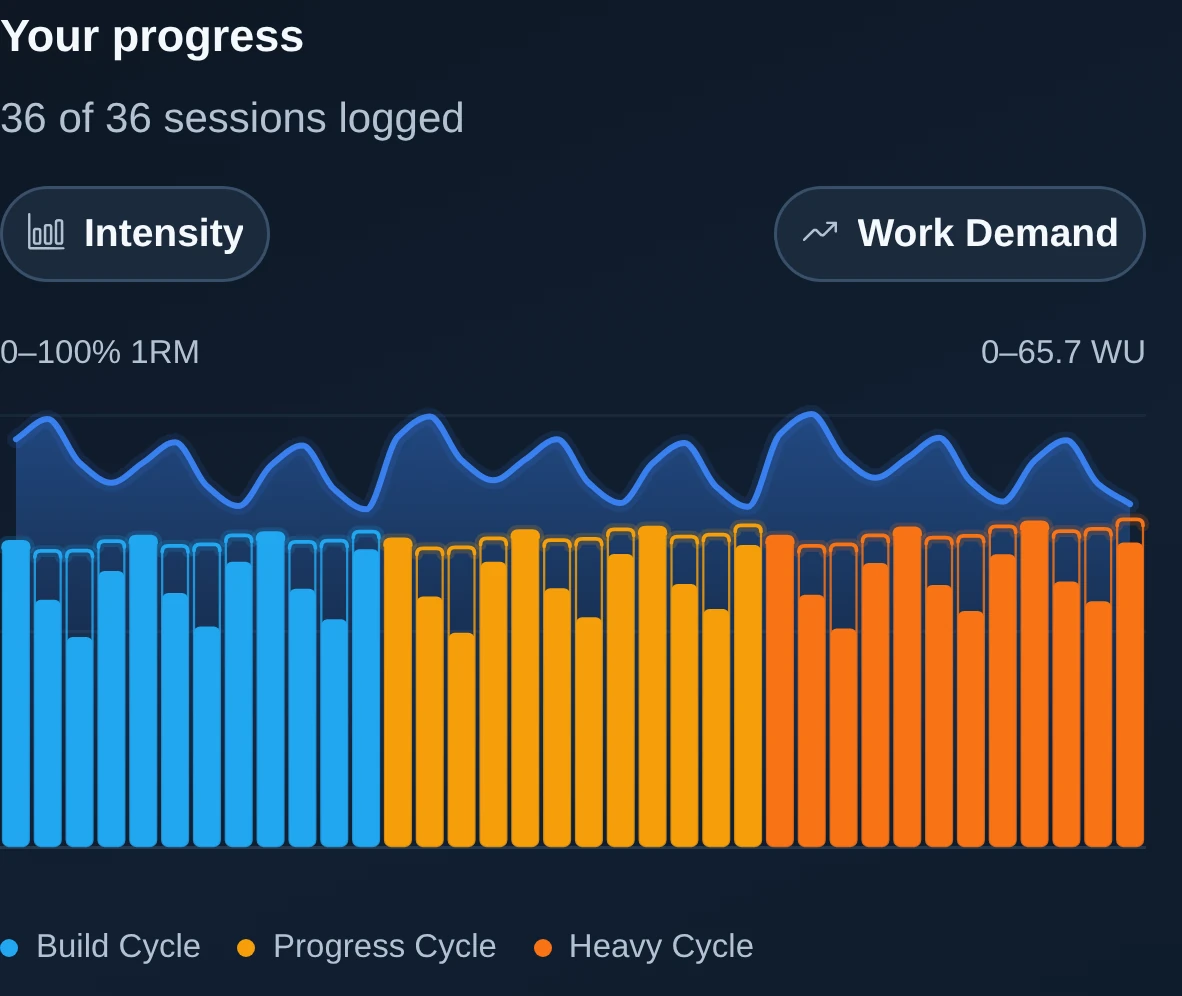
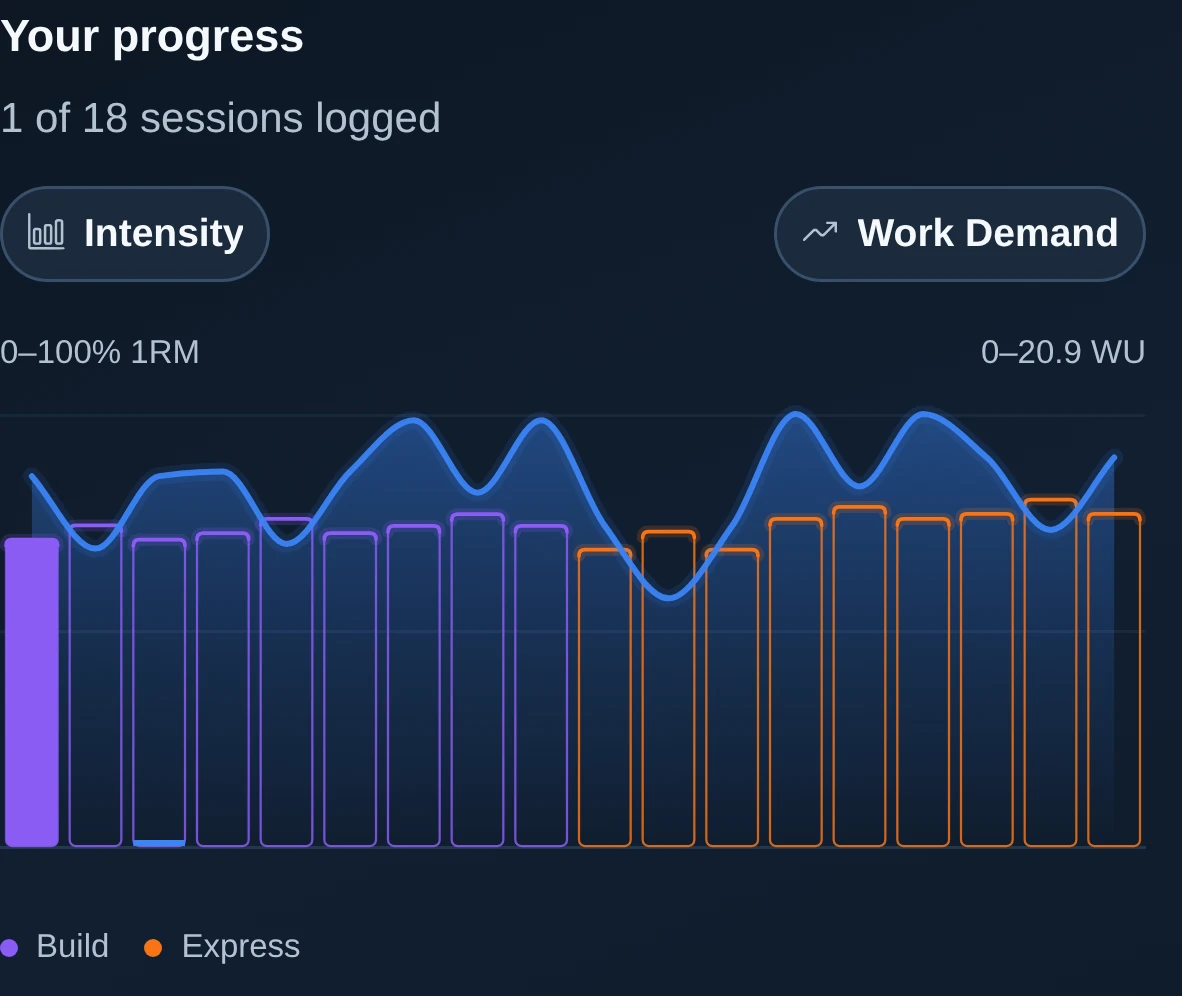
Compare the programme's planned sets with what you recorded. Keep changes in movements, working sets and compatible measures visible.
Explore Training AtlasiPhone · Android
Ultimate Lift brings programme instructions, detailed workout recording, movement guidance and training review together on your phone.
Choose your training, record the work and review the detail behind your progress. The same record is available in the portal.
Next programmed session.
Strength Wave Builder Wave 02
Up next · Week 4 · About 65 min
Low-bar squat · Compared with Week 1
See the recorded sets ↗Goals & targets
Define a training goal, select priorities and set weekly targets. Ultimate Lift keeps these settings available during programme selection, session logging and training review.
A goal provides a reference point for programme selection, independently planned sessions and recorded training review.
Strength, Hypertrophy, Power and Endurance define the four primary training perspectives.
Examples include barbell strength, a lifting milestone or a consistent weekly training pattern.
Compare the goal with training history and update it when priorities change.
Record the training context that informs programme selection, then choose a structured programme or independently planned session.
Programme pages state commitment, prerequisites and intended audience before enrolment.
Follow a structured U8L programme or record independently planned sessions. Both approaches use the same training record.
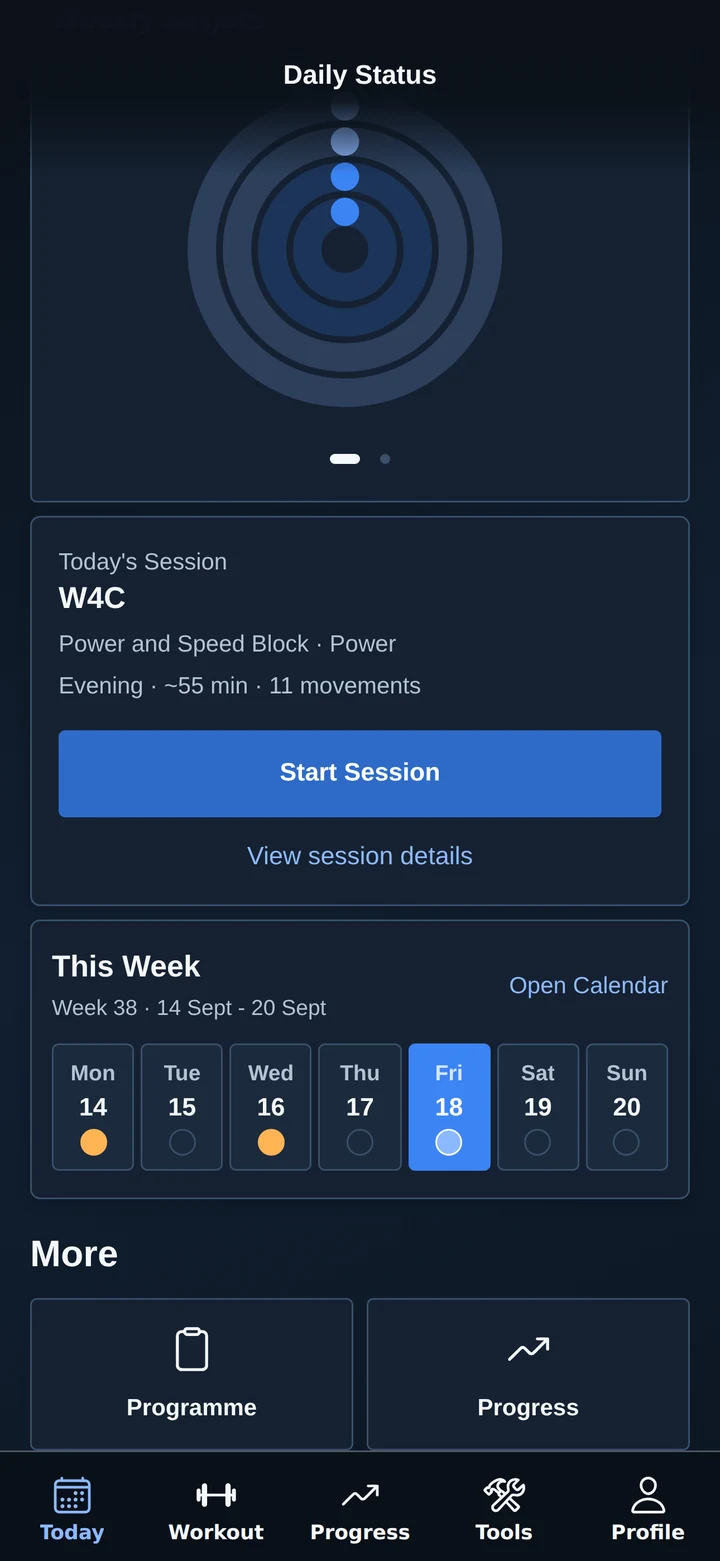
Programme selection leads into a schedule and session preview. Today identifies the next session.
Goals and weekly targets remain available after onboarding and can be revised as priorities change.
A goal defines the intended outcome. A training target defines the sessions and sets to track. A completed weekly target is distinct from a measured gain in strength or muscle.
Track heavy sets against the weekly target you choose. Open the underlying training to see what contributed.
Review working sets by muscle and compare them with your chosen weekly targets.
Keep track of recorded power sets against your weekly commitment.
Review recorded lifting volume in kg-reps (load multiplied by repetitions) across the week. This is a measure of logged work, not a test of cardiovascular fitness.
Reach target settings from the rings and your profile. Review the same choices in the portal. Adjusting a target leaves your recorded training intact.
Weekly target tracking.
Sample settings. Targets describe recorded training; they do not measure gains in strength or muscle.
Adjust a sample target →The sample goal and strength target appear together on Today. Each priority is reviewed independently; one goal does not modify other settings.
Review your progressSample target configuration
Strength target: 12 heavy sets this week.
Workout recording
View the planned target before lifting, then record the performed set. Ultimate Lift keeps programme instructions, movement guidance and set data together during training.
The session remains in its authored order from preparation to final assistance. Detailed instructions remain available without obscuring the active set.
Keep target weights, rep ranges, effort, tempo and rest beside the set. See what comes next without losing your place.
Follow warm-ups and lift-specific ramp sets before the main work. Keep different set roles clear in the record.
Move through secondary lifts, pulling work and paired assistance in the intended sequence.
Move a scheduled session when life changes. When equipment is taken, inspect alternatives and keep the original programme intent available.
Record the set, then add the information required for later review. The record can include more than load and repetitions.
Record what you actually lifted. Planned targets remain separate, so the review can show where the session matched or changed the plan.
Keep RPE, RIR, tempo and rest alongside the set. Notes add context that a load chart alone cannot explain.
Open rep-level information when you need a closer record of the set.
Capture the relevant work, including duration and distance where the movement calls for them.
Remember the useful details: how a set went, why you changed it, or something to revisit next time.
Consult movement guidance, earlier sets or loading tools without leaving the session.
Watch the demonstration, check the setup and read the coaching points for the lift you are about to perform.
Translate a target into the plates on the bar. Match your gym setup and inspect the per-side breakdown.
Revisit earlier recorded sets and accepted strength records for context. Make your own decision about today’s work.
See the completed session and the information you recorded before moving on.

Movement guidance
Review movement demonstration, setup, execution, muscle roles and joint involvement. The reference remains available beside the active session.
Move from seeing a lift to understanding how to approach it. Keep the demonstration and written guidance within reach of your session.
Watch published U8L demonstrations for supported movements. See the setup and execution rather than relying on a name alone.
Read the starting position, movement sequence and finishing position. Return to the part you need before a set.
Look through practical cues, common errors and cautions to understand the movement more fully.
Navigate names, equipment and variations while keeping the underlying movement clear.
Interactive 3D anatomy makes the underlying information easier to explore. Move between the lift, the muscles involved and the joints that participate.
Inspect primary, secondary and stabilising roles. Move from an anatomical view into the supporting movement detail.
Understand which joints are involved and explore the related movement guidance and cautions.
Explore the body from different angles and focus on the area you want to understand.
The anatomy view describes movement involvement. It does not measure your individual muscle growth, activation or joint health.
Open the reference when you need it, then return to the session, programme or history that prompted the question.
Inspect related movements and equipment options before choosing a swap. Keep the original plan visible in the training record.
See earlier recorded sets for the movement, including relevant strength records.
Understand where the lift appears in your programme and how the planned sets compare with what you completed.
Explore 900+ movement definitions, 3,500+ names and aliases, 150+ muscle references and 30+ joint references. Video coverage varies by movement.


Progress
Review completed sessions, individual lifts and programme progression in one record. Compare recorded training across weeks and blocks.
Start with a completed-session recap, a lift comparison or a recent record. Each view leads back to the sets and sessions behind it.
Follow recorded sets across time. Look at load, reps and effort together, then open the sessions behind a change.
Keep accepted 1RMs, estimated strength evidence and personal records clear. A planned increase is different from an improvement you actually recorded.
Mark useful points in your training: a completed block, a recorded lift milestone or a week you followed through on.
Move from a review to the programme or session you are following. The record gives you context for your next choice.
Look beyond a single workout. Relate completed sessions to the week, block and programme they belong to, with the authored plan available beside them.
Know the current week and phase, the sessions you have completed and the sessions still ahead.
Compare programme intent with recorded training across the session, week, block and whole programme.
Explore the movements, muscles, body areas and joints involved in your recorded sessions.
See the effect of swaps, missed sessions and additional movements on the training record. The facts stay available for your own judgement.
Use the overview to find the session history, lift records and completed sets behind a summary.
Revisit the workout in sequence, with the planned and performed sets, movement detail and notes together.
See recorded sessions against the targets you chose. Change future commitments deliberately, without turning activity totals into a score for your fitness.
Use strength references and recorded rep-range evidence for context, alongside the individual sets that support them.
Keep measurements and their history alongside your training. Review changes over time without attributing every change to a single workout.
Review a programme or block on a larger screen, using the same training history.
Compare recorded training across weeks.
Five repetitions at a higher recorded load.
Illustrative recorded history. Load change is one indicator; effort and execution remain relevant context.
See your progress →Four primary training emphases
Separate sample weeks show how a summary links to detailed set data. Select a pillar, compare periods and inspect each movement’s contribution.
Strength
Heavy sets
12 setsWeek 4 · Week 3: 8 setsWorking sets that qualify as heavy relative to a compatible 1RM reference. Warm-ups and sets without enough information do not count here.
Open a movement to inspect its recorded contribution.
3 working sets × 5 reps × 100 kg. Sample 1RM reference: 125 kg (80% of 1RM).
4 working sets × 5 reps × 80 kg. Sample 1RM reference: 100 kg (80% of 1RM).
3 working sets × 5 reps × 120 kg. Sample 1RM reference: 150 kg (80% of 1RM).
2 working sets × 5 reps × 50 kg. Sample 1RM reference: 70 kg (71.4% of 1RM).
Read heavy set count alongside relative intensity, repetitions and the intent of your programme.
Explore the Strength metricsHypertrophy
Working sets · Quadriceps
10 setsWeek 4 · Week 3: 8 setsWorking sets assigned to a primary muscle group using the movement reference. This example focuses on the quadriceps.
Open a movement to inspect its recorded contribution.
3 working sets. Quadriceps are a primary muscle group in the movement reference.
4 working sets. Quadriceps are a primary muscle group in the movement reference.
3 working sets. Quadriceps are a primary muscle group in the movement reference.
Review muscle groups individually. One set can involve several primary groups, so adding every muscle total would count some sets more than once.
Explore the Hypertrophy metricsPower
Power sets
9 setsWeek 4 · Week 3: 6 setsWorking sets on movements whose classification qualifies as power or explosive work.
Open a movement to inspect its recorded contribution.
3 recorded working sets of a power-qualifying movement.
This describes recorded power-oriented training. It does not measure the speed of your repetitions or your power output in watts.
Explore the Power metricsEndurance
Raw tonnage
3,600 kg-repsWeek 4 · Week 3: 3,000 kg-repsThe sum of load multiplied by repetitions across qualifying weighted working sets. The unit is kilogram-repetitions, or kg-reps.
Open a movement to inspect its recorded contribution.
3 sets × 15 reps × 24 kg = 1,080 kg-reps.
3 sets × 15 reps × 40 kg combined load = 1,800 kg-reps.
3 recorded sets × 12 reps × 20 kg = 720 kg-reps.
Review the volume alongside effort and repetitions. Bodyweight or timed work needs other measures; this total is not a test of cardiovascular fitness.
Explore the Endurance metricsSeparate sample weeks for each pillar · Training recorded, with its meaning explained
Training-record perspectives
Use the overview to identify a pattern, then inspect the recorded sets and supporting detail.
Compare the programme's planned sets with what you recorded. Keep changes in movements, working sets and compatible measures visible.
Explore Training AtlasReview weeks, months, quarters or a chosen date range. Keep the period length and amount of recorded training in view when comparing totals.
Explore your progressDefine priorities and weekly targets. Compare recorded training with the selected commitment; target settings remain accessible from the phone.
Explore goals and targetsFrom U8L Training Library
Understand what each measure counts, the information it needs and the limits of what it can tell you. Open a definition to see how it is calculated.
The complete library catalogue contains 56 metric references across10 pillars, including activity, consistency, mobility and stability. Browse every pillar and metric
Metric reference
The number of working sets performed or planned at a heavy relative intensity.
Counts working sets whose load, expressed as a percentage of 1RM, meets the heavy-set threshold.
The number of working sets that fall inside the stricter strength-training load and repetition zone.
Counts working sets with high relative intensity and low repetition count according to the strength-zone rule.
The average relative load used across qualifying working sets.
Expresses the load of each qualifying working set as a percentage of its 1RM reference, then averages those percentages.
The total weighted volume accumulated from heavy qualifying work.
Adds load multiplied by repetitions across qualifying heavy working sets.
The number of different movements with qualifying heavy working sets.
Counts each movement once, however many qualifying heavy sets it contains.
The number of sessions that included at least one heavy qualifying set.
Counts each session that contains at least one qualifying heavy working set.
A workload measure for comparing the relative demand of planned sessions.
Combines relative intensity and planned repetitions across qualifying sets.
Metric reference
The number of working sets assigned to each primary muscle group.
Uses the movement reference to assign working sets to the primary muscle groups involved.
The number of working sets within the Hypertrophy metric’s load and repetition range.
Counts working sets with compatible relative intensity and repetitions inside the hypertrophy-zone rule.
The number of working sets logged or prescribed near failure using effort data.
Uses recorded or planned RPE or RIR to count sets that meet the near-failure threshold.
The number of muscle groups whose working sets reached the coverage threshold.
Counts muscles whose primary working-set total reaches the active coverage threshold.
Metric reference
The number of working sets on movements classified as power, explosive, Olympic, or impact-oriented work.
Uses the movement reference to count working sets that qualify as power-oriented training.
The number of sessions that included at least one power-qualifying working set.
Counts distinct sessions with any qualifying Power work.
The number of distinct power-qualifying movements trained or planned.
Counts each qualifying movement once, even if it appears in several sets or sessions.
The number of working sets on movements classified as high impact.
Counts working sets on movements marked as high impact in the movement reference.
Metric reference
The total weighted working-set volume for muscular-endurance-relevant resistance work.
Sums load multiplied by reps for weighted, repetition-based working sets.
The number of working sets performed or planned at a high repetition count.
Counts non-time-based working sets meeting the high-rep threshold.
The loaded volume accumulated from high-repetition working sets.
Adds load multiplied by repetitions across qualifying weighted, high-repetition sets.
Interpretation limits
Your training analysis describes the sets you planned or recorded. More volume or more completed sets does not, by itself, prove a gain in strength, muscle or fitness.
Some measures need load, effort or a compatible 1RM reference. Incomplete information limits what can be counted. An unavailable metric is different from zero work.
A load of 20 kg performed for 10 repetitions is 200 kg-reps of volume. Percentage intensity, set counts and workload scores answer different questions and keep their own units.
Interpret the numbers alongside programme structure, recorded effort, notes and lift history. The detail informs the next training decision.